Three courses,
one clear progression
Each workshop stands alone, kids can join at any level. But they're designed so completing one makes the next feel like a natural next step. Students will need to bring their own laptops, but all other hardware such as microcontrollers, servos, and 3D printed parts will be provided. For Scratch and simple Python, all code will be done in the browser.
Scratch Game Design
Kids design and build their own arcade game from scratch — picking characters, writing the rules, and making it actually playable.
- How programs use sequences and loops
- Event handling, making things respond to keypresses
- Variables, tracking a score in real time
- Conditionals, game over logic
- Debugging, why things break and how to fix them
- Sharing and presenting their finished game!
- Opportunity to use the skills they learnt to design and make their own game.
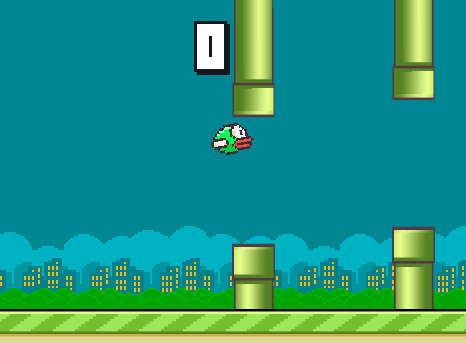
By the end of the session students have a fully playable game — custom characters, a live score, and proper game-over logic. It's shareable via a Scratch link so they can show friends and family straight away.
Python & the Guessing Game
The jump from block-based to real code. Kids write their first Python program — an interactive number guessing game — and leave understanding how professional code actually works.
- Python syntax, how real code is written and read
- Variables and data types
- User input and print statements
- If / elif / else logic
- While loops, keeping a game running
- Random number generation
- Reading error messages and fixing bugs
- Use the skills they learnt to independently make a game of their own design.
- Present their code to other students.
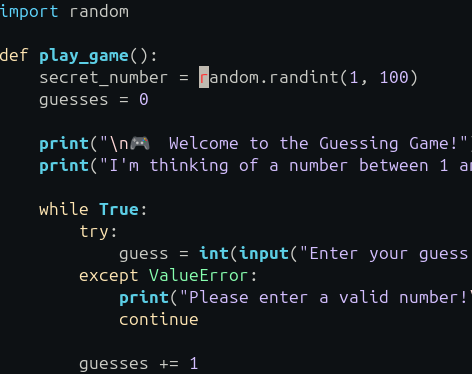
Students write every line of code themselves, their first real Python program!
Build a Servo-Bot
The full engineering experience. Kids design a component in Tinkercad, wire a simple circuit, and write MicroPython to bring a servo-controlled robotic arm to life.
- Basic circuit design and component wiring
- 3D design fundamentals in Tinkercad
- How microcontrollers work
- MicroPython, writing code for physical hardware
- Calling pre-built functions to control servos
- Testing, iterating, and physical debugging
- Share their 3D printed robotic arms with other students
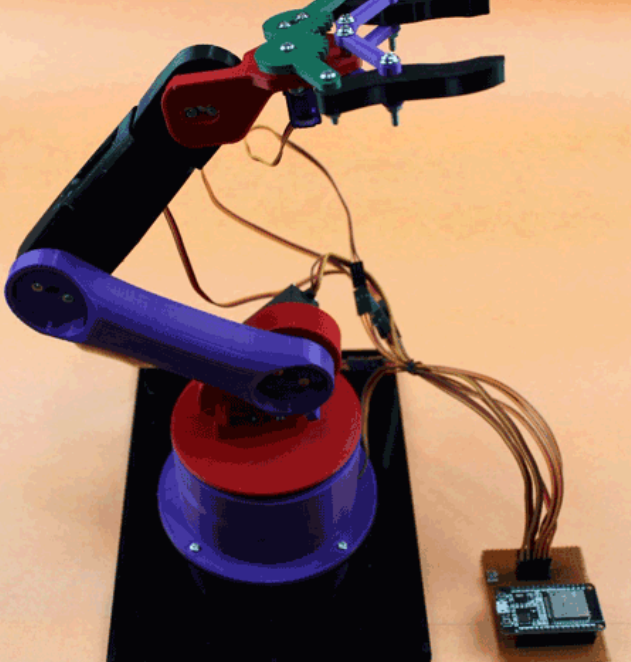
By the end students have designed a component in Tinkercad (that will be checked and 3D printed), wired a real circuit, and written MicroPython that makes a servo motor move on command. The core functions are pre-built so they focus on the logic, but everything that moves, they made move.
Scheduled & flexible sessions
Spring term dates coming soon, register your interest and we'll be in touch when bookings open!
Term-time and half-term group sessions run on fixed Saturday mornings and afternoons. Places are limited, book early to avoid missing out!
Want a private session, a different date, or a workshop for a holiday club? Get in touch and we'll arrange it!
Ready to book a workshop?
Register your interest and fill in the booking form. I'll confirm availability, answer any questions, and get your child's place secured.